
Last Day
[wpp order_by=views limit=100 range=’daily’ stats_comments=0 stats_views=1]
Will you remove it?
People say
All time
[wpp order_by=views limit=50 range=’all’ stats_comments=0 stats_views=1]
I use UnHackMe for cleaning ads and viruses from my friend's computers, because it is extremely fast and effective.

STEP 1: Download UnHackMe for free
UnHackMe removes Adware/Spyware/Unwanted Programs/Browser Hijackers/Search Redirectors from your PC easily. 
UnHackMe is compatible with most antivirus software.
UnHackMe is 100% CLEAN, which means it does not contain any form of malware, including adware, spyware, viruses, trojans and backdoors. VirusTotal (0/56).
System Requirements: Windows 2000-Windows 8.1/10 32 or 64-bit. UnHackMe uses minimum of computer resources.
STEP 2: Double click on UnHackMe_setup.exe
You will see a confirmation screen with verified publisher: Greatis Software.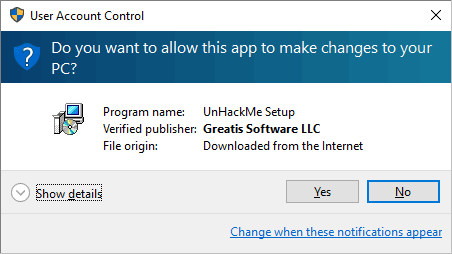
Once UnHackMe has installed the first Scan will start automatically
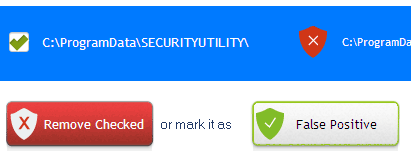
STEP 3: Carefully review the detected threats!
Click Remove button or False Positive.Enjoy!