Requirements
Windows 10 build 1709.
Pros: Why use this tweak
If you want to disable fun facts, tips, and more from Windows and Cortana on your lock screen, follow this instruction step by step.
Cons: Why do not use this tweak?
You will not see fun facts and Windows tips.
How to apply this tweak manually:
- Press Win + R, type "regedit.exe" and press Enter.
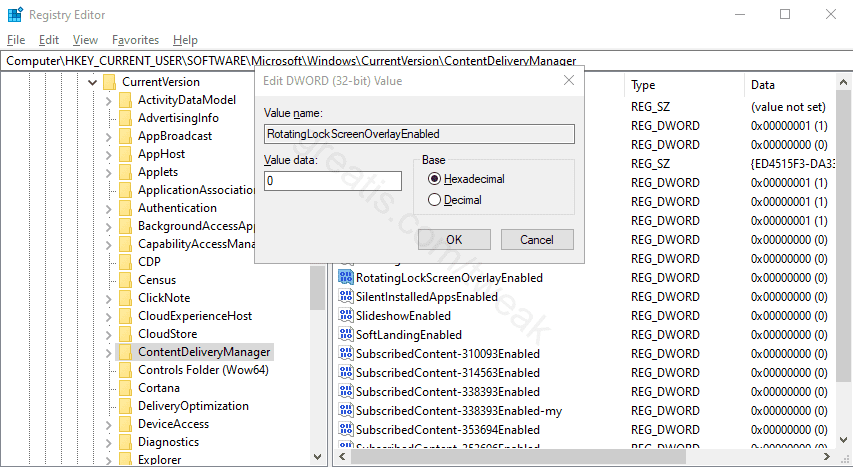
- Then go to HKEY_CURRENT_USER\SOFTWARE\Microsoft\Windows\CurrentVersion\ContentDeliveryManager branch and find the RotatingLockScreenOverlayEnabled key.
- Double click it and change the value to 0.