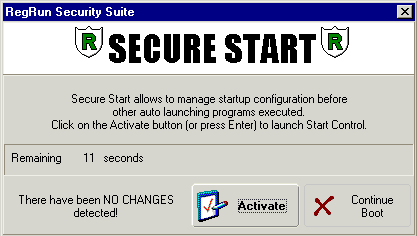
Secure Start Windows
Notice to current users: Secure Start has been significantly altered, and works with Windows 98/2000/ME/XP/Vista before other programs are launched. This is a superb feature, which, in addition to providing protection from malicious ware, allows you to choose your startup profile AS YOU ARE LOADING - WITHOUT HAVING TO RESTART.
To activate Secure Start, you must first:
Open RegRun Control Center, Options and choose the Secure Start tab.
Window 2000/ME/XP/Vista users: mark the checkbox "Check Startup in Windows mode BEFORE Windows Shell starts". Secure Start activates after you logon to your system and checks for changes in your startup. If any changes are found you will be notified.
Through this validation, you can prevent a dangerous program from starting.
Non-W2k: Win95/98/SE users should select the DOS mode, and set a delay for activating Secure Start. This delay period occurs during the DOS boot up process, and provides you a period to access RegRun features BEFORE Windows.
Note: Secure Start is automatically activated if you selected "High" or "Ultra-High" Security Level.