
Areses is not hard in detection. It uses the same name as the Windows system process "csrss.exe" located in the System32 folder.
But the Areses can make the removal process hard for common user.
If a user simply deletes the file he will see the message that the Windows system file has been deleted and he will be asked for the Windows CD-ROM to restore deleted file.
If a user is smart and he will ignore the Trojan restore process, he will see the blue screen after reboot. Windows explorer could not start.
HKEY_LOCAL_MACHINE\SOFTWARE\Microsoft\Windows NT\CurrentVersion\Image File Execution Options\
It creates sub-key explorer.exe and the value under it:
Debugger=c:\windows\csrss.exe
This will allows the Trojan to be started every time when the explorer.exe will be launched.
This possibility is used by debuggers but it′s ideal for viruses too.
The Trojan can use any process name for activation not only explorer.exe. It can add the value notepad.exe and be started with executing Notepad.
The Image File Execution Options must be under control!
If you see the clear screen without explorer, press CTRL+ALT+DEL to start Task Manager, open regedit.exe, delete the registry key. After that open "explorer.exe".
RegRun with Partizan technology allows you to remove this virus easily with disturbance.
When the "Scan for Viruses" is started it will turn off the protection and Reanimator can delete the registry key without any problems.
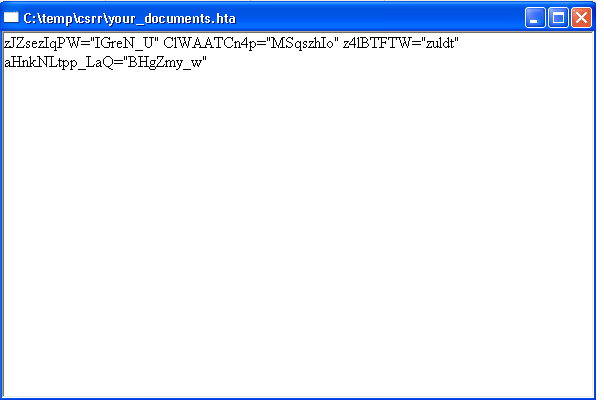
ARESES spreads via e-mail with attached crypted "hta" file.
Notes!
RegRun RunGuard automatically detects and block "hta" files from exe-cution.
Choose "Scan for Viruses".
Reanimator will detect the "c:\windows\csrss.exe" file.
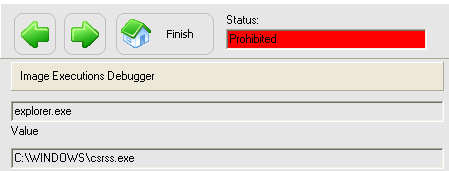
Click on the "Good or Bad" and choose "It′s useless for me. Kill it!" in the next screen.
Unfortunately the hidden "csrss.exe" process automatically restores deleted Image File Execution Options\explorer.exe registry key.
We need to reboot to finish cleaning.
Reanimator will detect the "c:\windows\csrss.exe" file again.
But the file has been already deleted. Reanimator need only remove registry key.
After that the Windows boot process will continue without any problems.
Trojan has been deleted successfully!
|
Good luck!
Dmitry Sokolov |