Part 1: The Investigation
The domain was registered in February 2022. Its website promotes OneBrowser as a “smart, ultra-clean browsing experience.” But there is no download link. The only option is an “Early Access” button that did nothing when tested.
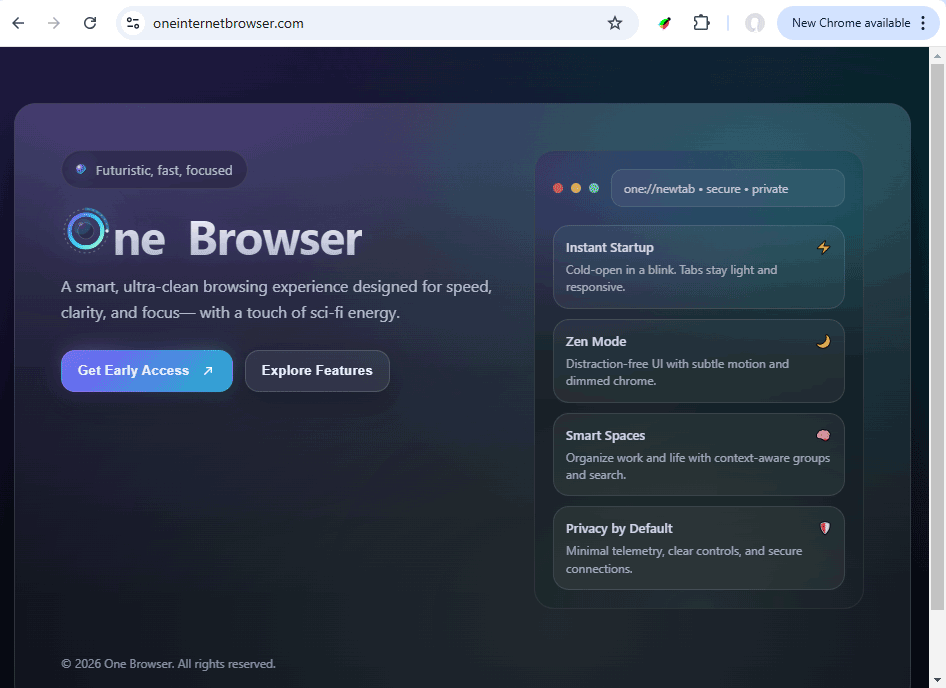
Yet some people have had this “early access” since January 2026.
Records from affected computers show OneBrowser installations dating back to January 2026.
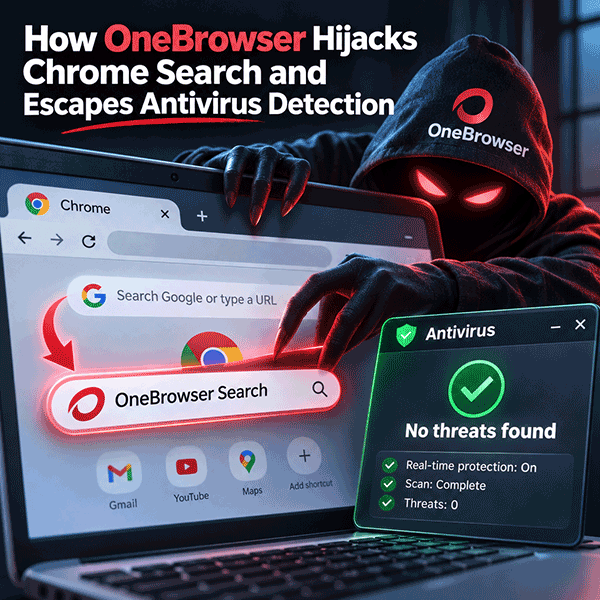
User reviews of OneBrowser are far from enthusiastic. Users complained that Chrome’s search engine had suddenly changed and persistent pop-up ads had appeared. The affected users did not know where OneBrowser came from. Many had been looking for PDF software and did not remember agreeing to install a browser.
Their antivirus reported that their PCs were clean. Most of these users had one or more antivirus programs installed, and OneBrowser lived alongside them without a single warning.
A Signed Chromium Browser
OneBrowser has several features that can make it appear legitimate.
Its files carry a valid digital signature issued to WORK PRODUCT, INC. The signature identifies the publisher and verifies that the signed files have not been altered. It does not guarantee that the program is safe.
Unit 42 researchers found the browser signed under six different company names. Blocking one certificate would therefore leave versions signed with other certificates unaffected.
OneBrowser is also built on Chromium, the open-source project behind Google Chrome. Much of its code provides ordinary browser functions. Those legitimate components make the unwanted behavior harder to distinguish from normal activity.
Quiet During Testing
Tests in a virtual environment showed no obvious malicious activity. That result alone does not explain what happens on affected PCs.
The updater, OBUpdateService.exe, runs as a service or scheduled task. It contacts the operators’ website for instructions that trigger specific actions. A test can therefore record a routine connection without capturing the unwanted behavior that follows later.
This supports a possible explanation for missed detections: the behavior depends on instructions received after installation. The quiet test results alone do not prove that OneBrowser detects virtual machines or deliberately avoids researchers.
The Same OneBrowser Version 9 Months Later
One user’s log recorded an installation on 17 February 2026. The same version, 137.0.7151.69, was still appearing on hijacked PCs in November.
That places the version on affected computers across a nine-month period. It does not establish when each installation occurred, but it shows that the problem was not limited to a brief distribution campaign.
Why Resetting Chrome Is Not Enough
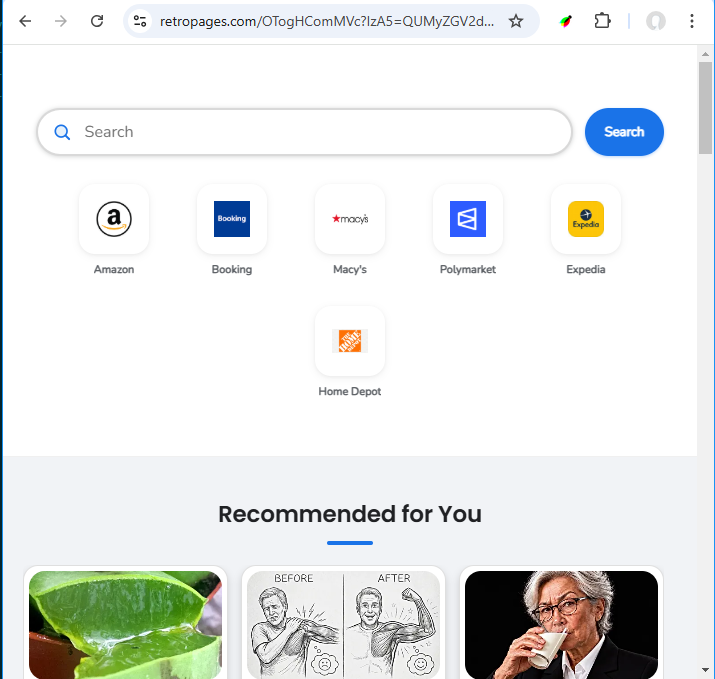
The hijacked pages varied between computers. Examples included retropages[.]com, healthygeorge[.]com, and swiftverdict[.]com. New destinations continued to appear.
Blocking individual sites did not remove the software responsible for the changes.
A user could delete the unfamiliar search engine or reset Chrome while OneBrowser and its updater remained installed. With OneBrowser starting alongside Windows, the mechanism for further changes remained active. Another instruction from the operators could bring back the redirects and ads.
This explains why browser cleanup may provide only temporary relief.
Why It Is Classified as an Advertising Trojan
The classification is based on the reported search hijacking, unwanted ads, and remotely controlled activity—not on its use of Chromium.
OneBrowser presents itself as a browser. On affected PCs, it also acts as a delivery mechanism for redirects, advertising, and notifications that its operators can activate after installation.
Removing the visible search entry addresses one symptom. A complete cleanup must also address the installed program and the updater responsible for further changes.
Part 2: Questions and Answers
My Chrome search and new tab changed by themselves. What is it?
Most likely a search hijacker. If you also find OneBrowser in Settings > Apps, OneBrowser is the source: it changed Chrome, and its ad pages now sit between you and your searches. UnHackMe detects this as Adware.TamperedChef.AmStartNetwork.
I never installed OneBrowser. How did it get on my PC?
Usually with a free tool: a PDF converter, an editor or similar, found through an online ad. The OneBrowser installer runs as part of that, and it is easy to miss.
My antivirus says everything is clean. Why?
OneBrowser is digitally signed, built from real browser code and installed with your agreement. Many antivirus products treat such programs as "potentially unwanted" and do not report them by default. In November 2026, Microsoft Defender, ESET, Avast and Norton all rated the OneBrowser executable clean.
Is it dangerous?
It does not steal files, but it is not harmless. Your searches and clicks pass through someone else's servers, you see ads instead of results, and its notifications can lead to scams. The campaigns it belongs to have also been used to deliver dangerous programs later. Remove it.
I cleaned Chrome, and it came back. Why?
Because OneBrowser itself was still there. Its updater and Startup shortcut keep it running, and a new instruction from its operators can make the changes again. You have to remove OneBrowser, not only fix Chrome.
How do I remove it?
- Uninstall OneBrowser in Settings > Apps.
- Close OneBrowser and stop its updater.
- Delete the OB or OneBrowser folders, and the OneBUpdate task or the obupdate service if they are left.
- Delete the OneBrowser shortcut from the Startup folder.
- Reset Chrome in every profile and remove notification permissions you do not recognize.
UnHackMe finds and removes all these parts for you: UnHackMe.
How do I avoid it next time?
Download tools only from their makers' sites, not from ads. Read every installer screen and decline extra programs. If Chrome changes by itself, check Settings > Apps for programs you do not know.
Part 3: Technical Details
Kill chain
| Stage | What we see |
|---|---|
| Initial access | Search ads for free tools (Google Ads click ID stored in the hijack token) |
| Execution | Signed OneBrowser Setup run by the user, no admin rights needed |
| Payload | OneBrowser (Chromium 137.0.7151.69); Chrome search engine, home page and notification permissions changed |
| Persistence | Scheduled task OneBUpdate or service obupdate; Startup shortcut OneBrowser.lnk |
| Command and control | The updater contacts the operators' site for instructions |
| Defense evasion | Valid code signatures under rotating company names; mostly genuine Chromium code; quiet in a virtual-machine test, activity after installation |
| Monetization | Search pass-through, sponsored tiles, content recommendations, push notifications |
| Landing | Token-gated pages on rotating domains behind Cloudflare; 404 without a valid token |
Artifacts on the PC
| Artifact | Value |
|---|---|
| Install folder | %LOCALAPPDATA%\OB\ with Application\, OneBUpdate\, Temp\, User Data\ |
| Files | OneBrowser.exe, chrome_proxy.exe, chrome.VisualElementsManifest.xml, OneBUpdateService.exe, 692C0F94_OneBUpdate.conf |
| Uninstall entry | HKCU, key OB: …\OB\Application\<version>\Installer\setup.exe --uninstall |
| Scheduled task | OneBUpdate → %LOCALAPPDATA%\OB\OneBUpdate\OneBUpdateService.exe ("OneB Browser Upgrader" 1.3.81.10) |
| Service (variant) | obupdate → C:\Program Files (x86)\OB\Update\OBUpdateService.exe -service |
| Startup | OneBrowser.lnk in the user's Startup folder |
| Registry | HKCU\SOFTWARE\OneBrowser |
| Updater (other version) | Task: %LOCALAPPDATA%\OneBrowser\Update\OBUpdateService.exe; service: %ProgramFiles%\OneBrowser\Update\OBUpdateService.exe (different files from the OB version) |
| Signers | WORK PRODUCT, INC. (seen in our samples); Unit 42 also lists MAINSTAY CRYPTO LLC, CROWD SYNC LLC, Eman Group, LLC, Chickadee Digital and Riya Software |
The hijack pages (AmStartNetwork)
We named the family AmStartNetwork, after the ad-network publisher ID on its pages, amstartnetwork. It is one part of TamperedChef, a wide network of signed adware and trojanized apps; researcher Luke Acha named it in June 2025 after its first lures, fake recipe apps. UnHackMe and IntelDB detect it as Adware.TamperedChef.AmStartNetwork. Each page address carries a personal token; decoded, it holds the PC's install ID, the install time and the Google Ads click ID that led to the installation.
- Rotating domains, origins hidden behind Cloudflare; a "404" without a valid token, with the ad code (publisher ID
amstartnetwork) still in the page. - Address:
/<path prefix><id>?<per-domain parameter>=<token>; path prefixOTogHComon most domains. - Token: Base64, URL-encoded twice, XOR with a short static key; fields: 5 zero bytes, install ID (18 digits), campaign ID, Unix install time, Google Ads click ID. The key and full examples are withheld.
- Endpoints:
/omni?q=(search),/tr?osr=(click tracking),/tiles_pxl,/taboola_show(impressions).
ATT&CK candidates
- T1583.008 Malvertising
- T1053.005 Scheduled Task, T1543.003 Windows Service, T1547.001 Startup Folder
- T1553.002 Code Signing (subvert trust controls)
- T1176 Browser Extensions or T1112 Modify Registry for Chrome, depending on what the logs show (open)
Indicators
| Type | Value |
|---|---|
| SHA-256 | a4c8a47853734c4796f6dee296640b30b1140113ece41e07caedab8c351cf776 (OneBUpdateService.exe) |
| SHA-256 | aab2ca6323a959ed94efa649cf7f878c5026f240eb47ecc638f83689ff0c1169 (OneBrowser.exe) |
| SHA-256 | a89119306a39c1cba6055548507ad3140d04288b4a2b19087d242e68a94548b0 (setup.exe) |
| Task | OneBUpdate |
| Service | obupdate |
| Path | %LOCALAPPDATA%\OB\*, C:\Program Files (x86)\OB\Update\OBUpdateService.exe |
| Path (other version) | %LOCALAPPDATA%\OneBrowser\*, %ProgramFiles%\OneBrowser\Update\OBUpdateService.exe |
| Signer | WORK PRODUCT, INC. |
| Domains | retropages[.]com, hemialcovenings[.]com, healthygeorge[.]com, loanpride[.]com, safebrowse-now[.]com, swiftverdict[.]com, velis-browser[.]com, newspulsenow[.]net, search[.]homesearchtab[.]com |
| URL pattern | /[?&][A-Za-z0-9]{2,8}=QUMyZGV/ |
| Detection names | Adware.TamperedChef.AmStartNetwork (UnHackMe), PUP.Optional.OBBrowser, PUA.EvilAI, Trojan.EvilAI.WP, BScope.Adware.OneStart, not-a-virus:AdWare.Win32.DragonBoss.r |
Removal for responders
- Uninstall OneBrowser (HKCU uninstall entry
OB). - End
onebrowser.exe,chrome_proxy.exe,onebupdateservice.exe,obupdateservice.exe;sc stop obupdate. sc delete obupdateif it is left.- Delete
%LOCALAPPDATA%\OB,C:\Program Files (x86)\OB,%LOCALAPPDATA%\OneBrowserand%ProgramFiles%\OneBrowser. schtasks /Delete /TN OneBUpdate /Fif it is left.- Delete
OneBrowser.lnkfrom every user's Startup folder. - Reset Chrome in every profile; remove unknown notification permissions; check
chrome://policy.
Sources
- UnHackMe user logs and IntelDB data, January to November 2026.
- oneinternetbrowser[.]com, the OneBrowser product site (domain registered February 2022).
- VirusTotal, OneBrowser.exe (SHA-256 aab2ca63…1169), November 2026: 18 of 71 engines.
- Unit 42, "Tracking TamperedChef clusters", May 2026.
- Zone Antimalware, "OneBrowser, logiciel indésirable", October 2026.
- Luke Acha, "TamperedChef", the origin of the name (June 2025).