! Now that you've downloaded UnHackMe, it's time to install it on your computer. This guide will walk you through each step of the installation process to ensure proper setup and optimal protection against malware. You can install a new version over any previous version without uninstalling it.
Follow These Steps to Install UnHackMe:
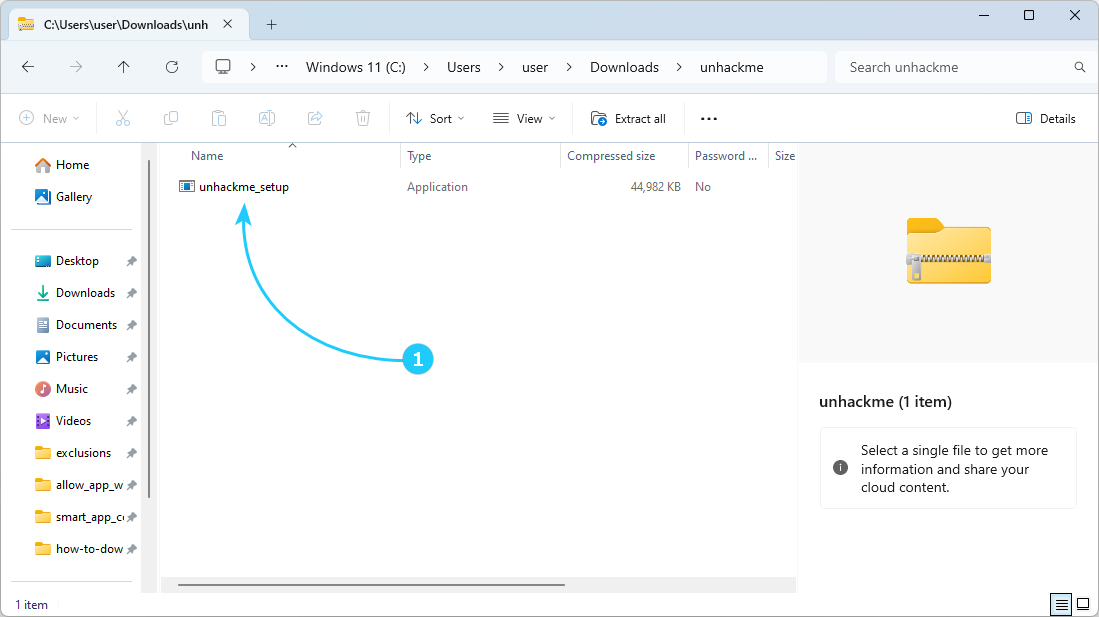
- Open the downloaded "unhackme.zip" file in your Downloads folder, then double-click "unahckme_setup.exe" to start the installation.
- Accept User Account Control (UAC) confirmation by selecting Yes to allow the installer to make changes to your system..
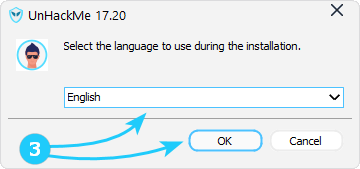
- Choose your preferred language from the dropdown menu and click OK.
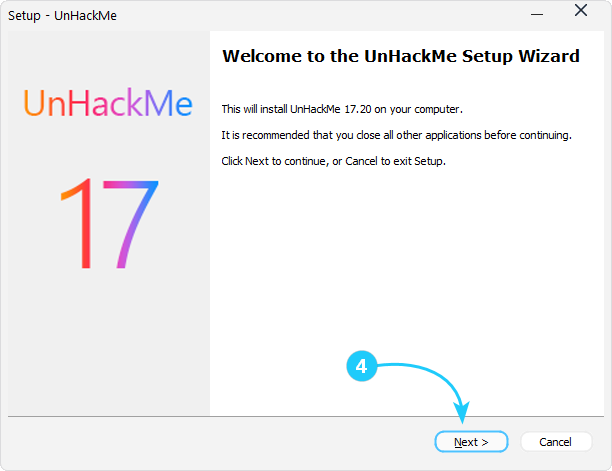
- The setup wizard will open. Click Next to proceed.
- Read the End User License Agreement (EULA), check I accept the agreement, and click Next.
- The next screen will display information about the software. Click Next to continue.
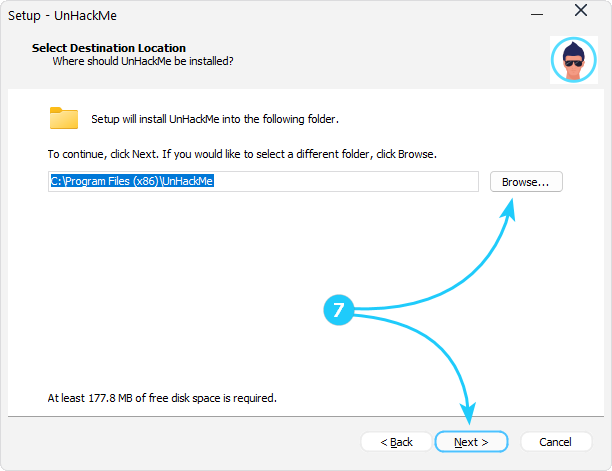
- Choose installation location - if you want to change it, click Browse, select a new location, and click Next.
- Select Start Menu Folder - accept the default or customize it, then click Next.
- Configure additional tasks - check the options you prefer, then click Next.
- Review your chosen installation settings and click Install to begin the process. Wait while UnHackMe is installed - this may take a few moments.
- Once finished, check the preferred options, then click Finish to exit the installer.





Congratulations! You have successfully installed UnHackMe on your computer. You can launch it from the Desktop shortcut or Start Menu. Now you can proceed to the Get Started guide.
