Malware often dsiables antivirus software by blocking its digital certificates. UnHackMe can detect and remove these malicious blocks to restore your security software's operation.
Unblocking Antivirus Certificates
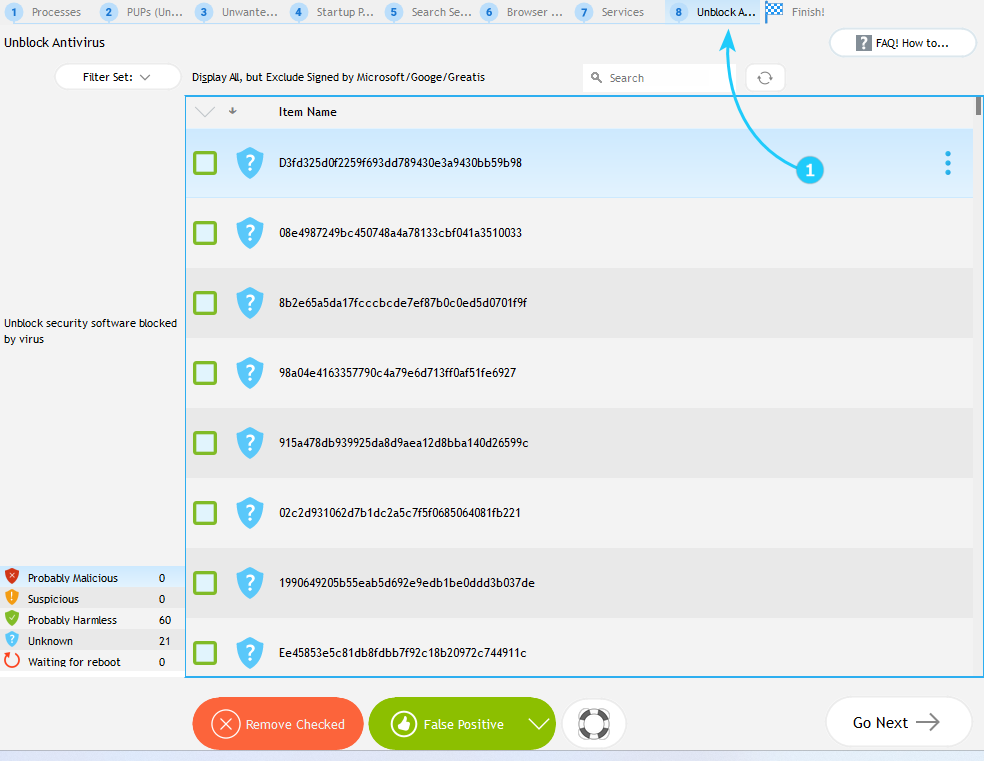
- After running the scan, navigate to the Unblock Antivirus tab (number 8 on the top menu).
- In the UnHackMe interface, review the list of blocked certificates carefully. The display shows both malicious entries and potentially legitimate blocks. Identify certificates associated with your antivirus software by checking the publisher names and expiration dates. To remove the blocks from the list, check the certificates, and click the Remove Checked button, which deletes the selected entries from Windows' registry-based blocklist.
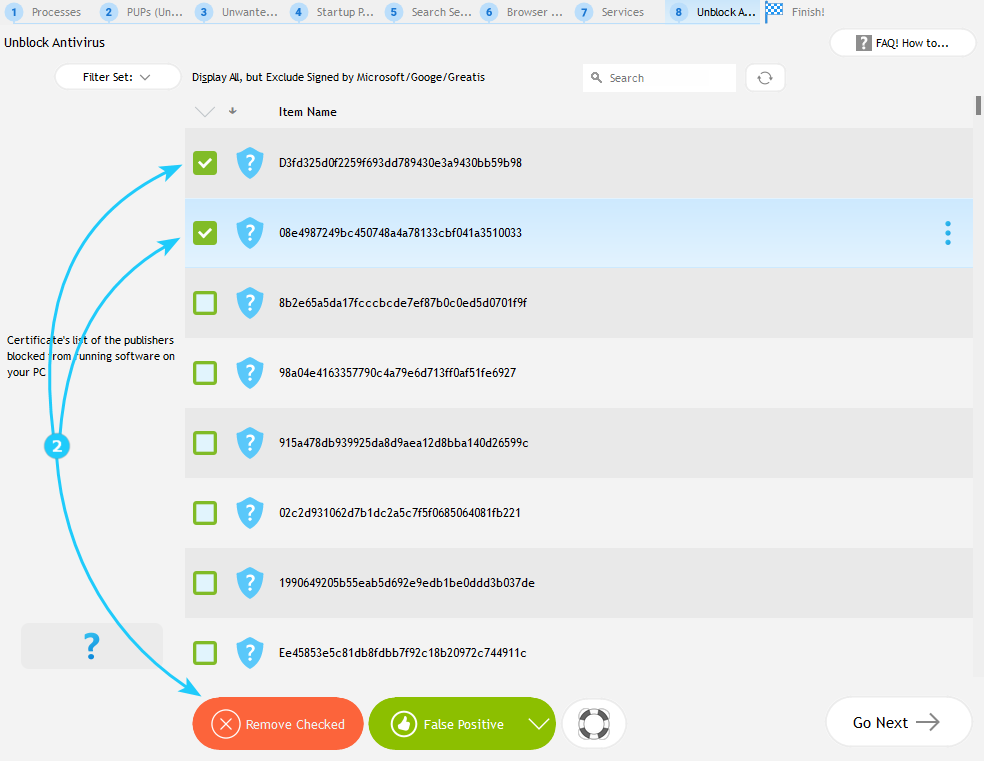
Exercise caution when removing certificates, as some may be legitimately blocked for security reasons. After cleaning the blocklist, immediately restart your computer to allow the changes take effect. Now that you've gone through all the tabs of the scan results screen and understood how to work with them, proceed to the "Automated Malware Scan Detected No Malware. What's next?" guide.
